Wednesday, July 28, 2021

Mashed Potato

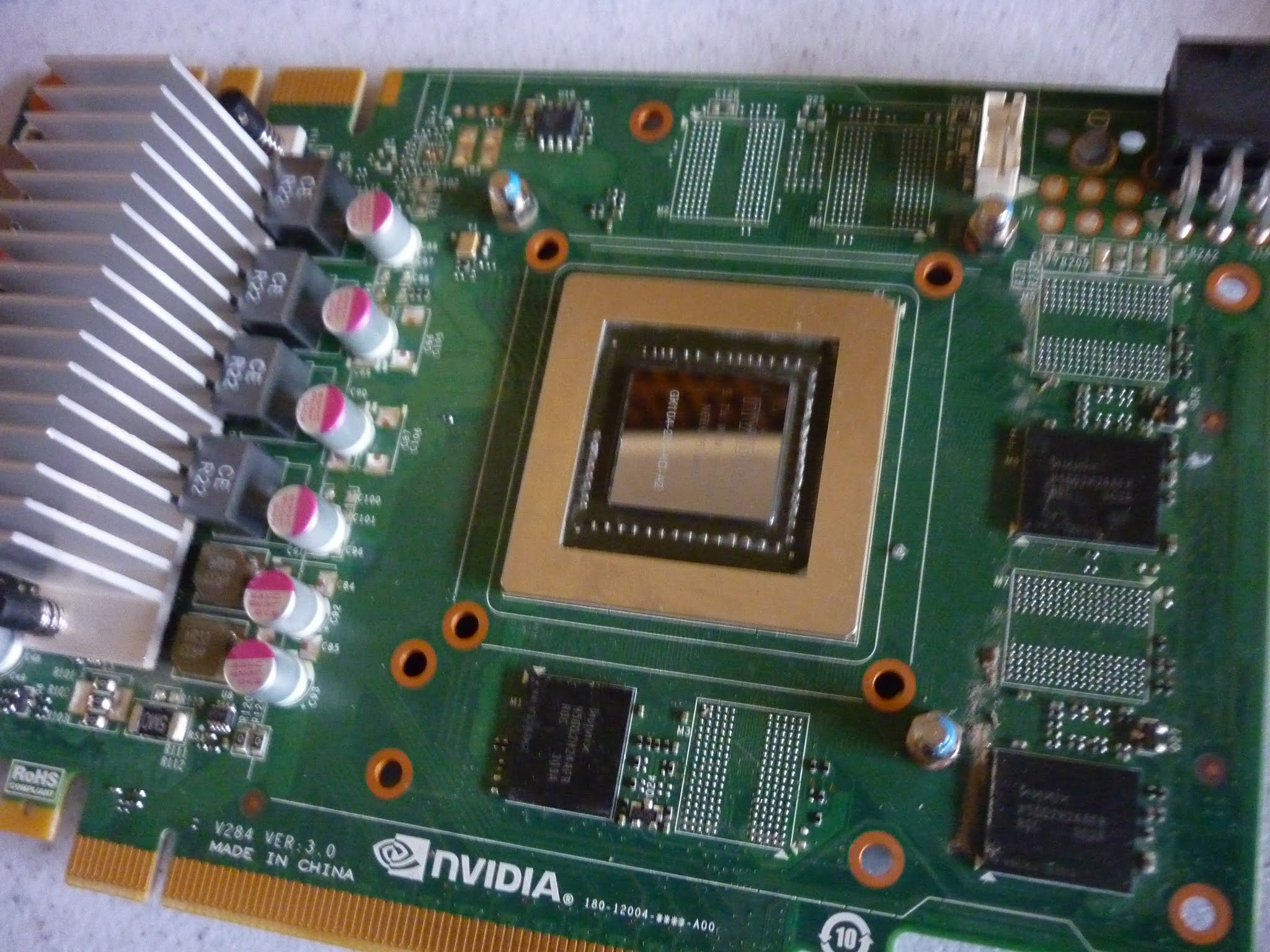
A post mortem of the latest build, and a modification. I took the Nvidia GTX 750 TI 2GB card out and replaced with a $20 AMD Radeon HD 5770 1GB, all in the name of investigation and science, and to bring the total cost of the "mashed" potato down to about C$100 even.

The criteria being a "quiet" machine that will run my favourite game, ESO, at an acceptable framerate, mainly as I wish to purchase a laptop soon with similar specifications, to be able to run the game remotely if I choose. I also added a 1X PCIe WiFi card adapter with a laptop card, all included in that price.

The HD 5770 is an older card, does not support DirectX 12 at all, but will support the level needed for ESO. I am testing it out right now and yes, I see a difference from my higher priced card on the "other potato" but it is acceptable for a mobile solution.

It has 800 shaders, 1GB GDDR5 and is really not too shabby for a 108 Watt card (that will run comfortably with the Earthwatts power supply) plus the $5 adapter card with a wireless N laptop card is working perfectly.

Ok, enough talk, time to test. 

Monday, July 26, 2021

Hot Air

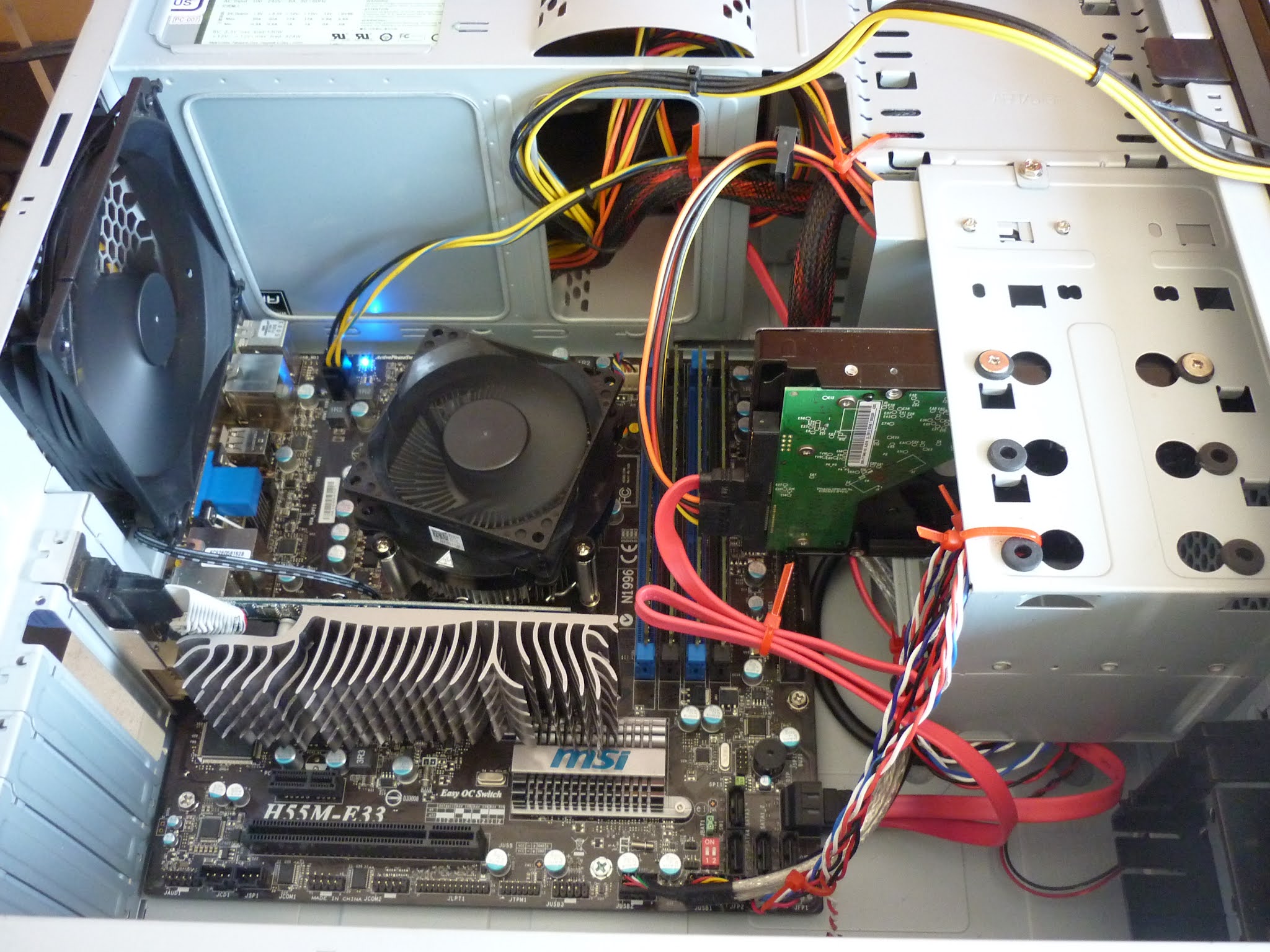
The build continued today, I installed a 120mm rear fan and an 80mm front fan. The fan at the front pulls air into the case and the rear moves it out. The Antec case has a side panel attachment that matches the CPU fan position and provides an external vent, I've not checked yet, but I'm assuming it will correspond to the position and height of the updated processor cooler.

The GPU that you see is for test purposes, I intend to install the GTX 750 TI from the $85 purchase which will enable this to be quite a capable potato. I quoted the case and power supply, dvd and hard drive at a conservative $25 in the previous calculation, so being conservative again, the GPU at $60 is used. If I sell the motherboard, ram and cpu from the purchase, I can offset the price, but it looks like the final build cost after I install the GPU will be around $160

The Antec case is very well made, but an older design, so cable management is not really high on the priorities, however, I have made the front panel attachments as tidy as I can, it matters not as once the side panels are installed, it is all secreted away. The front fan clipped nicely into that plastic shroud at the bottom right of the photo and the fan made use of the second 3 pin system fan header on the motherboard.

I can control the fan speeds, and the noise somewhat, from the BIOS settings.

The next step is the GPU installation and then I will install an operating system and a game or two and see how it performs, both from a game focus and a temperature management point of view. It is almost at that end point, a sort of time of sadness regarding the build, but I am learning to take my time, understand what I'm doing and not just throw these things together and move on.

It will be nice if I have a WiFi card somewhere to install in that PCI slot.

Sunday, July 25, 2021

Happy Times.

The month of June ended with a treasure trove of computer parts from a chap called Joseph, who advertised on the local marketplace, buy and sell, he was moving to Ottawa and I bought a large amount of stuff from him. In addition, I bought a small lot of parts from a chap in Langford, part of which included a Dell Studio XPS motherboard.

The motherboard tested very dead, but the CPU, an Intel i7-860 was alive and kicking, so I transferred it and it's cooler to another motherboard, an MSI H55M-E33. This time, tracking the price of the build may be a little more difficult, but I'll give it a go.


CPU and Cooler came from a $50 lot of parts and I will very conservatively estimate them as 40% of that cost, so $20. The MSI motherboard was from an eBay seller, but it included an i3-530 CPU, 4GB of DDR3 and a cooler/fan combo. It was $60 so if I play with the numbers, subtract the CPU and cooler, and add another 4 GB of DDR3, call it $55 so I'm into the heart of this new machine for $75


On Friday we travelled to "Gordon Head" and picked up a PC, it had a GPU worth $85 and the whole deal cost, yes you guessed it, the same. It was an Antec case with an Earthwatts 380W PS, and for the sake of the project, let us call the case, PSU and SATA drives a bargain at $25. I would not be surprised if I sell the old Motherboard, Ram and CPU for $60 so the price is a bit wishy washy, but let's call it a donkey, or whatever the kids call a pony nowadays. 

Here is the exciting bit, motherboard, cpu, ram, case and power supply for a hundred bucks. All quality parts as well. The i7-860 was an impressive CPU at the time (although some do not like it) and it does not have inbuilt graphics, so we will have to add that GPU or something else. That is something for me to ponder in the next day or so, and as usual, I am taking my time, after all, I am building another potato.

They are happy times, I am spending more time on my feet, in the garage, at the bench, not sitting on my fat arse playing video games. I joked in the last blog entry that I had a lot of hard drives, and perhaps an issue, but the reality is, I feel as though I have quite a few projects to keep me busy for the rest of the year. 

Ok, next blog to be the conclusion of this build.

Sunday, June 20, 2021

Dell Alienware Nvidia GTX 660 OEM

 Another cleaning and repasting of an older, yet still very useful, graphics card.


It was a quick job, simple copper based heatsink, a bit of compressed air to blow it out. The old thermal paste was dry and flaky, so a little rubbing alcohol to remove. The only variant for this was that between the fins of the heatsink and the plastic cover there were some foam strips, so I replaced them with similar sized strips of double sided foam tape.

Interesting that 3 of the 4 screws securing the heatsink came out no bother and left the standoffs attached to the mainboard and one stayed in the aluminum block, no big deal really, but sometimes a worry that maybe a thread becomes stripped, and then attaching the heatsink back will be uneven. A none story really, little to worry about, nothing to see here, move on....

Performance was pretty good, temperature hovered around 70 degrees Centigrade under load and the fan was quiet, running at around 1500 rpm or 40%. Yes, Centigrade, if you pushed your face on the graphics card at the peak, or anything else for that matter, it would indeed leave a mark.

In a world gone mad with new components being scarce and in demand from gamers, scalpers and crypto miners, these used graphics cards, usually around C$75, are a great deal. 


Wednesday, June 9, 2021

Potato

The "keeping myself busy" build is almost done and connecting a couple of the ancilliary cables and a boot drive is all that really needs to be done to complete the potato.

I attempted to tidy up the front panel wiring by putting some shrink fit tubing over them, however, I am not too happy with the result, so I may try to clean that up somewhat. I've added an Nvidia Quadro 2000 graphics card which should give this computer a reasonable capability for gaming.

The term "potato" is used by gamers to describe older hardware that isn't quite up to the task of running the modern games at reasonable frames per second or resolution. The term has broadened so much that it is a general insult to tag all hardware as inferior, and I'm witnessing a trend in upgrade madness, driven by the industry no doubt to encourage all users to discard "potato" hardware in favour of the next new thing.

This potato however is extremely useful, both with the integrated GPU or the Quadro 2000 and the difference between the two can be expressed as two numbers, the AMD A8-5600K integrated Radeon 7560D graphics have an average G3D benchmark of 475 and the upgrade to the Quadro 2000 almost doubles that to 944. I would expect this PC to play games from 2014 or so very well.

As an "office box" or a PC destined to run Excel, Word, Internet and eMail, this machine would be far more that adequate with the four core A8-5600K processor and DDR3 memory and I consider it unfortunate that a lot of this level hardware is being sent for disposal or recycling on our potato mindset planet.

I encourage anyone with the old hardware to tinker with it, take it apart, put it back together again, learn to upgrade it yourself and give the old stuff a new lease of life in someone else's home. I have realised after the completion of this build that I have a better motherboard to install in this case, however, I will need a better power supply....

...and so it goes.


Monday, June 7, 2021

ASUS A55M-E Lazy build

The online game I am playing is down for maintenance, so I decided that I would not start my Ryzen project today, so took the small case off the shelf and installed an ASUS A55M-E motherboard in there. 

The motherboard has 24 pin power and 4 pin CPU power, so the power supply should be fine, the one thing it lacks is a 6 pin plug for the graphics card, so a lower wattage card will be considered, we will see.

First photos, you may recognize the Rosewill case from the T1700 project here on the blog from back in 2019. I transplanted all the innards from it into a solid Antec case that has become my primary test PC, so the little Rosewill was looking all lonely and dejected on the shelf, I felt it was time to give it a heartbeat once again. 


You may notice that one of the stand offs does not have a screw in it, top left in the above photo. This became a very annoying five minutes as one screw ended up cross threaded and it would not go in, and more annoyingly, would not come out again. Typically it was the sixth stand off, not the first, so I ended up brute force cross threading it even more and then managed to extract it. I will leave it vacant to remind me that the brass post needs throwing away.

It is an older motherboard, socket FM2 with an AMD A8-5600K processor. I will see how noisy that short little CPU fan is and see if I can add a quieter solution. I'm not quite sure what the "FAN Xpert" banner means as I could only find one 4 pin fan header on the board and that is for the CPU cooler and one 3 pin chassis fan header. That really is it for fan options and looking online it appears that the only fan that is covered by the "Xpert" feature is the 4 pin, so it is just a PWM fan ahead of it's time I suppose and the 3 pin is standard.

There are a lot of these catchy banners peppered about on the motherboard, I've often wondered why they do that, perhaps just to encourage the initial sale of the item, odd though, it's akin to them having cars with banners like "handy steering wheel"  or "floor for resting feet on" to encourage sales.

I am a little cranky today, hopefully maintenance on my silly game will be finished soon.